 relmccoy.com
relmccoy.com
relmccoy.com
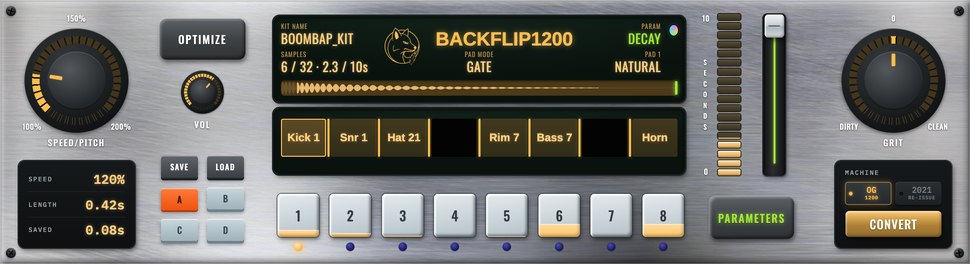

Load your samples. Send them to your MPC.
BackFlip turns any WAVs into ready-to-load programs for legacy Akai MPCs. Drop sounds on the pads, pick your machine, hit convert. The converter built for legacy Akai MPCs, from the MPC 60 to the 5000.
Get BackFlip €49€39Founder price · first 100 buyers
One-time €39 (reg. €49) · Free updates · 7-day guarantee · macOS 13+ & Windows 10+
† MPC 3000 support requires Vailixi OS
New in 1.2: edit every pad before it hits your MPC →
Every format reverse-engineered and tested on actual machines, not guesswork.
Drop a single WAV on a pad, or drag a whole folder in at once. Batch drops fill the pads instantly. Pick your model, hit convert.
Save your pad layouts as BackFlip Project (.bfp) files and come back to them anytime. Your kits are always ready to re-export.
Direct floppy (Gotek) and ZuluSCSI export, so your kits write straight to the media your MPC reads, no extra steps.
Each machine's sample and program format was cracked by hand and confirmed on the actual unit. It just loads.
New in BackFlip 1.2
Trim, fade, filter, tune and flip each pad right inside BackFlip. What you hear when you click a pad is exactly what gets written to your machine.

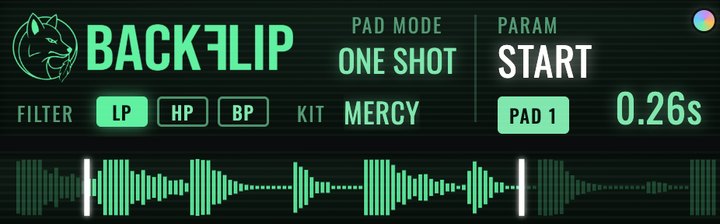
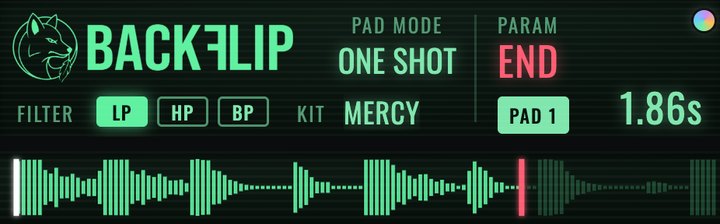
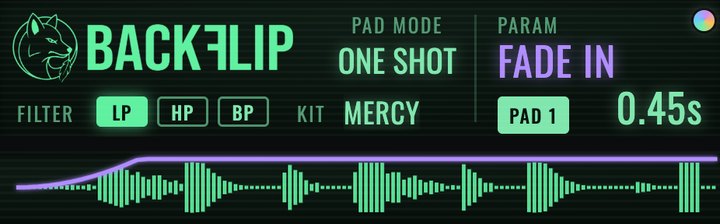
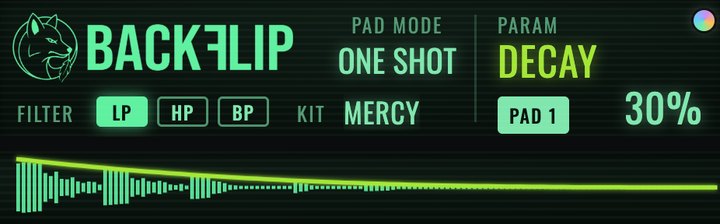
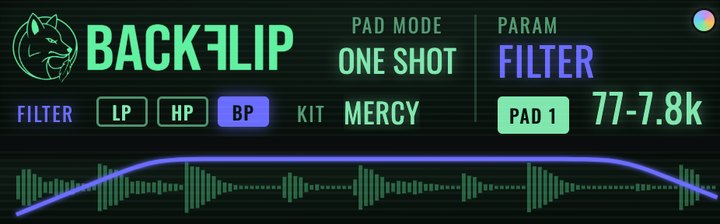
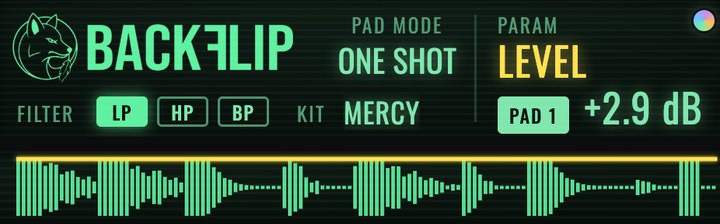
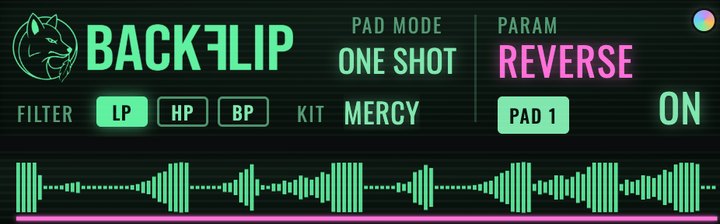
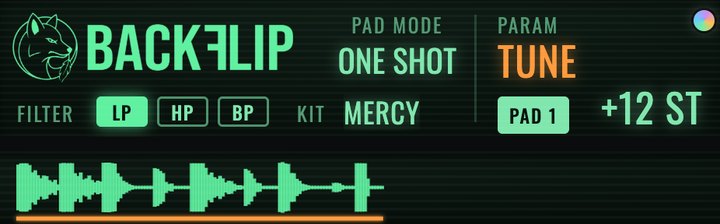
Lock a parameter on any pad and it stays put while you change the rest. The padlock lights up in the parameter's colour, and small dots show everything locked on that pad.
Hit the PAD button (or 0) and the fader moves every pad at once. Shift-click to build your own group. Locked pads sit it out.
GATE plays while you hold, ONE SHOT plays the whole sound, REPEAT loops it and plays your edits live as you move the fader.
The keys sit just like the pads, so you can finger-drum your kit before it ever leaves the computer. Works on AZERTY and QWERTZ keyboards too.
One app, the whole legacy MPC lineup.
BackFlip handles the conversion. You need a way to get the files from your computer onto your machine. Here's what that looks like per model.
Use a CompactFlash card, or mount your internal hard drive to drag your BackFlip files in.
Format a USB stick on your 4000 first, then copy your BackFlip files to it and plug it into the USB port on the front of the machine. Tested with a 64 GB stick. If your 4000 has trouble reading a larger one, try a smaller stick.
These machines use floppy or SCSI storage. The 2000 and 2000XL export to a Gotek (USB floppy emulator) or ZuluSCSI (SCSI emulator); BackFlip exports the 3000 to ZuluSCSI. Some also use a CompactFlash card via a SCSI-to-CF adapter. Free Gotek and ZuluSCSI setup files below.
Already have a Gotek or ZuluSCSI? Download your free setup files: boot disk and blank images, ready to drop on your device.

I'm an emcee and producer, and I've always loved working on the legacy MPCs and other hardware samplers. For years I wanted one simple thing: to build MPC programs on my Mac from my own samples and chops, and send them straight to the machine, without the workarounds.
This year, I finally did something about it. For all of us.
I put many months of sweat into BackFlip, reverse-engineering each format by hand and testing on the real units. Every machine, confirmed on real hardware. I hope you enjoy using it as much as I do.
Rel
More from Rel → relmccoy.comEverything you need to know before you grab it.
BackFlip runs on macOS 13 (Ventura) or later. It is a universal app, native to both Intel and Apple Silicon Macs, so there is nothing extra to install.
Yes. BackFlip is signed and notarized by Apple, so on Mac it opens normally with no security warning.
Yes. BackFlip runs on Windows 10 and Windows 11. You get both the Mac and Windows downloads in your purchase email, so you can use it on either platform.
Yes. Because BackFlip is distributed directly rather than through the Microsoft Store, Windows flags it on first install. Click "More info" then "Run anyway". You only need to do this once. The app is clean.
Only if your MPC loads from floppy or SCSI. BackFlip exports the 2000 and 2000XL to a Gotek or ZuluSCSI, and the 3000 to a ZuluSCSI. The 1000, 2500, 4000 and 5000 need neither. The 1000, 2500 and 5000 load from CompactFlash, and the 4000 loads from a USB stick in its front USB port. Free setup files are on this page.
Up to two of your own machines. Activation happens on first launch and takes a few seconds online. Moving to a new computer? Email holler (at) relmccoy.com and we will sort it out.
Drop in your WAV samples. BackFlip builds the native program and sample files for your chosen MPC, ready to load. Since 1.2 you can also trim, fade, filter, tune, reverse and level each pad first, and the edits go into the files. You can also save your pad layouts as BackFlip Project (.bfp) files and reopen them anytime.
Yes. Conversion has two halves: the AD going in and the DA coming out. Loading files only skips the input side. Every sound still plays back through your MPC's DA and outputs, which is where a lot of that character lives. I tested this a lot on my MPC 2000, and it sounds like my MPC to me.
MPC Editor (the free tool from Midicase) has been around a long time. It's Windows only, no Mac version. Its last update was 2011 and covers four models (2000, 2000XL, 3000, and 60). BackFlip runs natively on Mac and Windows, is actively maintained, covers nine legacy MPC models with its own drag-and-drop workflow, lets you save and reload your kits as project files, and, most importantly, exports directly to Gotek, ZuluSCSI, or CompactFlash, ready to load with no extra steps. On Mac, BackFlip is also Apple-certified and notarized, the same trust check big-name apps go through, so you can install it with confidence instead of clicking past a sketchy "unidentified developer" warning. If MPC Editor already does what you need, no shade, use what works for you.
That depends on your machine, not on BackFlip. Your MPC's own memory and storage set the real limit, so an older unit with limited RAM (like a stock MPC 2000) can only hold so much sample data at once. BackFlip will happily build big kits, so just keep an eye on your machine's memory when you load a large one.
MPC 3000, 2000, 2000XL, 1000, 2500, 4000, 5000, and 60/60ii. MPC 3000 support requires Vailixi OS.
BackFlip only supports what I have tested on real hardware, and the 3000 is confirmed on Vailixi OS. The stock OS is also very limiting for anyone loading from an SD card or ZuluSCSI. It only works with one drive image at a time, so you cannot switch between images, and it is rigid about SCSI IDs. Vailixi fixes those, and it is a great upgrade for the 3000 whether or not you use BackFlip.
Yes. One payment, BackFlip is yours, with free updates to this version. If a future edition comes out with new features, BackFlip 1 buyers get a discount on the upgrade.
Yes. If BackFlip is not the right fit, email within 7 days of purchase for a full refund. You will know in minutes whether it works for your setup, so a week is plenty of time.
Real owners, real MPCs
Straight from BackFlip owners.
Workflow Unlocked! BackFlip fills a gap I've wanted filled for years. Getting yesterday's and today's samples into my MPC 3000LE and 2000XL quickly and easily, while fitting seamlessly into my workflow. BackFlip works beautifully on Mac and keeps the creative process moving. Less workflow. More flow.
Clarence Jey Billboard Hot 100™ Producer · GRAMMY® Credited Songwriter · RIAA® PlatinumYears of dead ends, software that worked one day and failed the next, and endless frustrating nonsense. Then, like a beam of light, BackFlip appeared, and my favorite device finally came back to life. I made a beat for the first time in years.
Andy Z., MPC 2000XLChop your samples in Ableton quick and it's good to go in a matter of minutes instead of a couple of hours of dialing in samples and programs on the 1994 MPC 3000.
Tai A., MPC 3000This here is a game changer for anyone on a vintage MPC!! Mad props to u.
@nastercoff, InstagramThe converter built for legacy Akai MPCs, from the MPC 60 to the 5000. Founder price €39 for the first 100 buyers (regularly €49). Yours forever, with free updates.
Get BackFlip €49€39Founder price · first 100 buyers
macOS 13+ & Windows 10+ · 2-machine activation · 7-day money-back guarantee
† MPC 3000 support requires Vailixi OS
Got an SP-1200 too? Meet BackFlip 1200: drop your WAVs on the pads and it writes disks your SP-1200 loads. See BackFlip 1200 →