SP-1200 Sample Converter
Load your samples. Send them to your SP-1200.
BackFlip 1200 turns any WAVs into files your SP-1200 can load. Drop sounds on the pads, speed them up to fit its memory, hear exactly what it will play, hit convert.
Get BackFlip 1200 €49€39Founder price · first 50 buyers
One-time €39 (reg. €49) · Free updates · 7-day guarantee · macOS 13+ & Windows 10+
Built for the real hardware
Made for the SP-1200 and tested on a real one, not guesswork.
◆Drag & drop, 32 pads
Drop a WAV on a pad, or a handful at once to fill the bank. Four banks of eight, just like the machine, and each pad gets its own output so a bank never cuts itself off.
◆More sound in 10 seconds
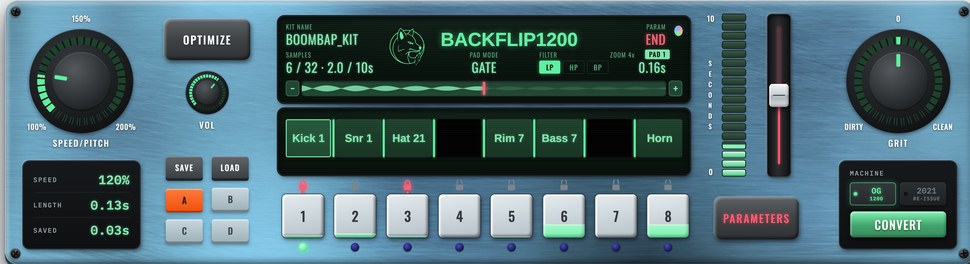
Speed/Pitch speeds a sound up to 200% so it takes less memory, the old sample-at-45-play-at-33 move. OPTIMIZE finds the smallest speed-up that fits your whole kit.
◆See it, hear it, then load it
The waveform shows exactly what you're keeping as you trim. Every pad previews the real conversion: 12-bit, 26.04 kHz, at its sped-up pitch. What you hear is exactly what your SP-1200 will play.
◆Zoom in on the trim
Hit + on the waveform to zoom in up to 32x on START or END. The fader turns into a fine trim, so you land right on the hit.
◆Lock it in
A tiny lock above each pad freezes the parameter on screen, lit in that parameter's colour. Lock the END on your kick and keep shaping everything else. Dots under the lock show what's locked.
◆Hot, clean levels
Every sound comes in hot, peaking just under the top of the 12 bits. It uses every bit, and your SP-1200 can sit at a sensible volume. LEVEL still rides on top.
◆Three filters
LP, HP and BP, right on the screen. Darken a loop all the way down to a muffled thump, thin out a kick, or squeeze a sound into the middle for that telephone feel. Every pad keeps its own.
◆Change them all at once
Hit PAD on the screen, or press 0, and every edit goes to all eight pads. Tap any pad to hear it and they stay selected. Shift-click to pick just a few.
◆Grit
One knob from clean to crushed. Centre is the machine's own conversion; turn left for aliasing ring, then drive, lower sample rates and bit crush.
◆Save & reload kits
Save the whole kit, speeds, trims and all, and pick up where you left off. Kits keep your original WAVs inside.
◆A clean slate
Every disk comes with empty songs and segments, ready for your own sequences. Sounds end clean too, with no click when they stop.
◆Gotek & SD card
CONVERT writes a disk image straight to your Gotek's USB stick or an SD card. Sound names come along too.
Hands on, the way we like it
One hand on the pads, the other on a knob or the fader. Hear every move while you make it.
Two hands on
Hold a pad on keys 1 to 8 and turn SPEED / PITCH with the other hand. The sound bends while it plays. Tune a snare by ear, not by numbers.
Ride it on repeat
Set PAD MODE to REPEAT and hold a pad. It keeps retriggering while you ride the fader or GRIT, so you hear a trim, a filter or a dirty break change live.
Hands free
In REPEAT, don't hold anything. Slide the fader and the selected pad plays along as you move. Let go of a knob and it plays the result.
Prefer it quiet while you tweak? GATE and ONE SHOT only play when you hit a pad. Press R to switch any time.
Why sample it twice?
Sampling records into your SP-1200 is a ritual. Re-sampling a kit you already built on your computer is a chore. BackFlip 1200 handles the chore. Proven on a real machine.
Your SP-1200 cost thousands. BackFlip 1200 costs about what you'd spend on a couple of records, and it pays you back on the first kit you don't have to sample in by hand.
This isn't an emulation of the sound on your computer. Your kit loads on your own SP-1200 and plays through its own converters, filters and outputs. That's the sound you bought it for.
No more re-sampling, truncating and naming each sound against a ten-second clock. Drop your WAVs, fit them, convert, load. Then get back to making beats.
Works with
One app, both generations of the machine.
Getting kits onto your SP-1200
BackFlip 1200 builds the disk. Here's how it gets into your machine.
◆E-mu SP-1200 with a Gotek or SD floppy emulator
Plug your Gotek's USB stick into your computer, hit CONVERT and save the disk on the stick. BackFlip 1200 suggests the file name the Gotek expects (DSKA0030.HFE and so on). Put the stick back in the Gotek, pick that number, and load it on your SP-1200. Tested on a Gotek with HxC firmware and on one with FlashFloppy. SD card floppy emulators (like HxC's SD emulator) read the same disk image files: save the disk to the SD card instead of the USB stick.
◆Original floppy drive, no Gotek needed
Kept the stock drive? Write the disk BackFlip 1200 makes to a real 3.5" DD floppy with a Greaseweazle and an external floppy drive, then load it on your SP-1200 like any sound disk. Tested by Clarence Jey on his original SP-1200: the sounds played and the tuning worked. He wrote up every step, commands included.
◆2021 SP-1200 reissue with an SD card
Set MACHINE to 2021 RE-ISSUE, and the memory doubles to the reissue's full 20 seconds. CONVERT saves a .sp12 kit, the reissue's own file, straight to the card. Confirmed on a reissue owner's machine.
Got a Gotek? Download the free setup pack: a start-up disk, nine blank disks to save on, and a ready-made FlashFloppy settings file. Copy it to your USB stick and you're set.
A note from Rel
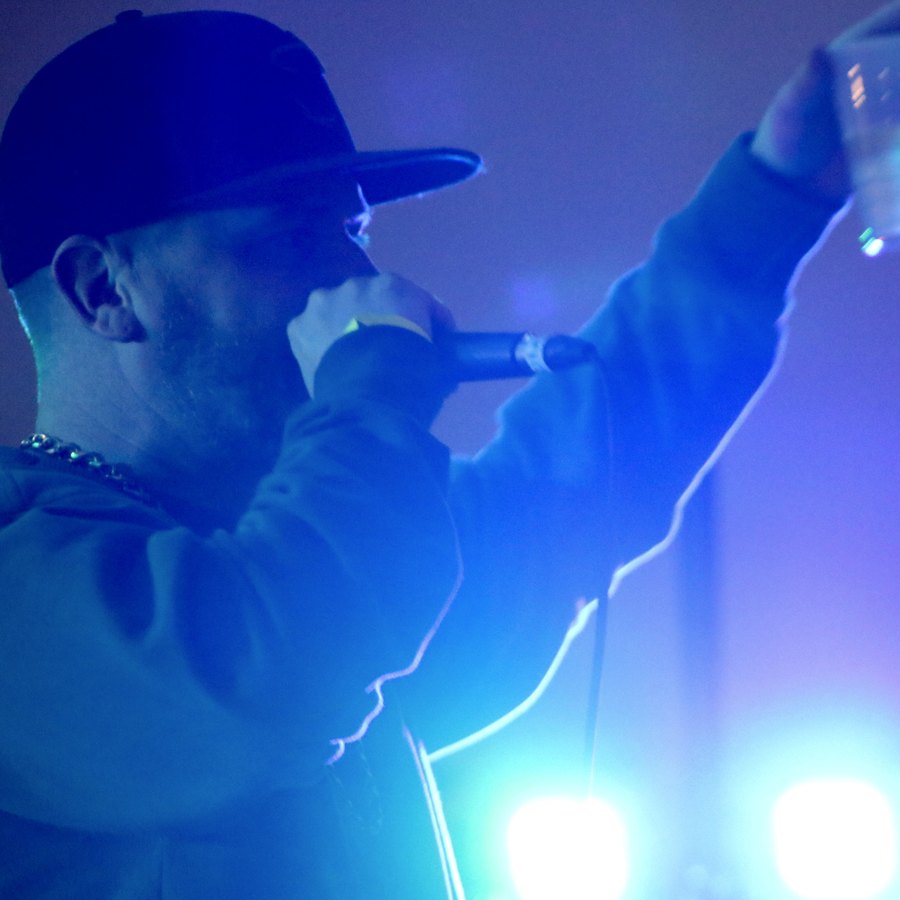
I'm an emcee and producer, and I've had my SP-1200 since 1994. For years I wanted the same thing I wanted for my MPCs: build the kit on my computer from my own samples and chops, and send it straight to the machine.
I made BackFlip for legacy MPCs, and it only made sense to tackle the SP-1200 next. It took a lot of test disks on my own machine, but now the kits load and play, sound names and all.
Less time sampling, more time making beats. Your sounds, your machine. That's the whole idea.
Rel
More from Rel → relmccoy.comQuestions
Everything you need to know before you grab it.
Do I need a Gotek?
No. A Gotek (USB stick) or an SD card floppy emulator is the easiest way in: save the disk, plug it in, load. If your E-mu SP-1200 still has its original floppy drive, you can write the same disk to a real 3.5" DD floppy with a Greaseweazle instead. Clarence Jey tested it on his original machine, and his step-by-step guide is up in "Getting kits onto your SP-1200". The 2021 reissue uses its SD card.
Which SP-1200s does it work with?
Every E-mu SP-1200, from 1987 to 1998, including E-mu's own 1993 reissue, with a Gotek, an SD card floppy emulator, or a real floppy written with a Greaseweazle. Tested on my own 1994 E-mu with a Gotek running HxC firmware and one running FlashFloppy. The 2021 reissue gets its full 20 seconds as a .sp12 kit on its SD card, confirmed on a real reissue.
I have the 2021 reissue. Will it work?
Yes, confirmed on a reissue owner's machine. Set MACHINE to 2021 RE-ISSUE and you get its full 20 seconds: CONVERT saves a .sp12 kit, the reissue's own file, to the SD card. Each sound is still up to 2.5 seconds, same as the original. If it doesn't load on yours, you get a full refund.
Why speed sounds up?
The E-mu SP-1200 has 10 seconds of memory, split into four 2.5-second sections (the 2021 reissue has 20, in eight), and no single sound can be longer than 2.5 seconds. A sound played faster takes less memory and comes out higher, so you can tune it back down on the machine. It's the same trick producers used by sampling records at 45 and playing them at 33. OPTIMIZE finds the smallest speed-up that fits your whole kit.
Does it still sound like my SP-1200?
BackFlip 1200 converts every sound to the SP-1200's own format: 12-bit, 26.04 kHz. Your sounds still play back through its own converters, filters and outputs, which is where a lot of that character lives. GRIT lets you choose how clean or crushed the conversion is.
What goes in, and what comes out?
Drop in your WAVs. BackFlip 1200 builds a complete SP-1200 disk with all 32 pads, sound names included, ready to load. You can also save your kits and reopen them anytime.
Which Macs does it run on?
macOS 13 (Ventura) or later. It's a universal app, native on both Intel and Apple Silicon Macs.
Is it safe to open on Mac?
Yes. BackFlip 1200 is signed and notarized by Apple, so on Mac it opens normally with no security warning.
Does it run on Windows?
Yes. BackFlip 1200 runs on Windows 10 and 11. You get both the Mac and Windows downloads in your purchase email.
Windows shows a SmartScreen warning when I install it. Is that normal?
Yes. Because BackFlip 1200 is distributed directly rather than through the Microsoft Store, Windows flags it on first install. Click "More info" then "Run anyway". You only need to do this once.
How many computers can I use my license on?
Up to two of your own machines. Activation happens on first launch and takes a few seconds online. Moving to a new computer? Email holler (at) relmccoy.com and we will sort it out.
Does my BackFlip license work for BackFlip 1200?
No. BackFlip (for MPCs) and BackFlip 1200 (for the SP-1200) are separate apps with their own licenses.
Is it a one-time purchase?
Yes. One payment, BackFlip 1200 is yours, with free updates to this version.
Do you offer a refund?
Yes. If BackFlip 1200 is not the right fit, email within 7 days of purchase for a full refund.
◆Buying a Gotek? A little advice
Any Gotek will load kits. If you also want to save your sequences and songs to it, get one with the AT32F435 chip. My first Gotek had the lower-memory AT32F415 chip: it loaded everything fine but couldn't save. The AT32F435 saved first try. If the listing doesn't name the chip, ask the seller before you buy.
One with FlashFloppy already installed is the easiest start, since the free setup pack above is made for it. A small OLED screen with a rotary knob makes picking disks quick.
Some Gotek screens read upside down once fitted. If yours does, the setup pack's README shows the one-line fix.
Every control, at a glance
One panel, built like an instrument. Here's what everything does.

Hands on the keys
Make it yours
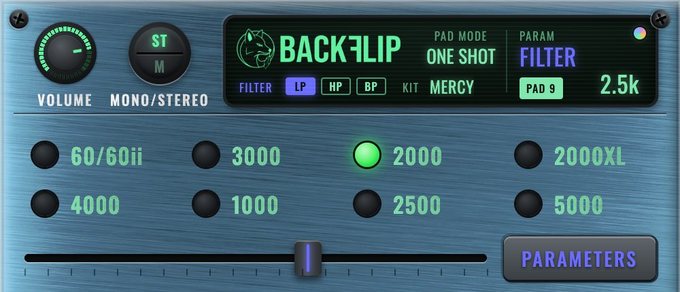
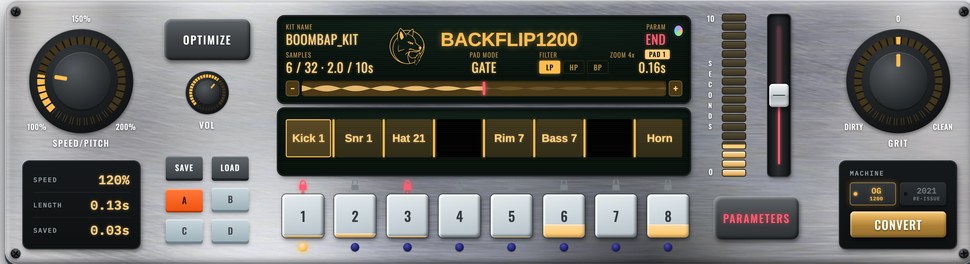
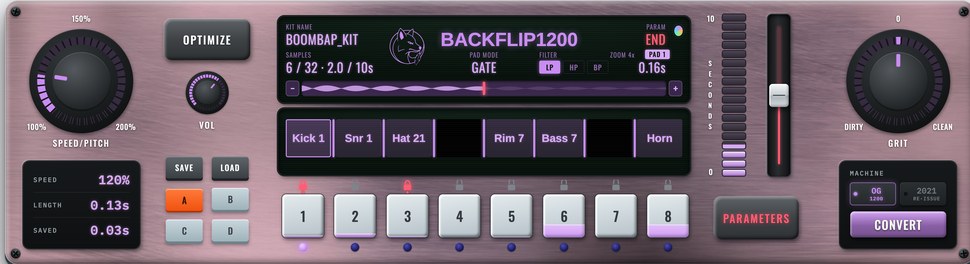
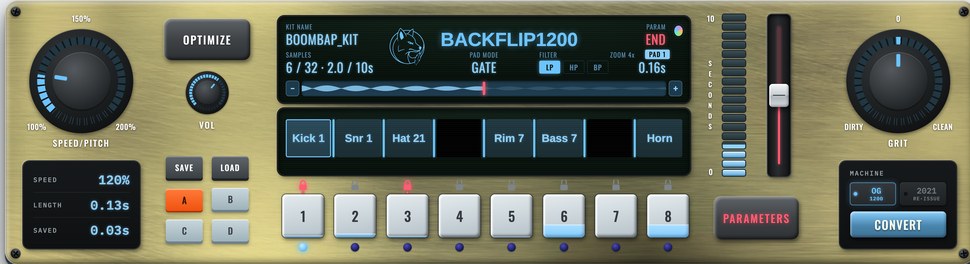
Four metal plates and four screen colours. Shift-click the little colour dot on the screen to change the plate, click it to change the screen.
Built by a 1200 owner, for 1200 owners
Get your samples into your SP-1200
The tool that builds kits specifically for your SP-1200. Founder price €39 for the first 50 buyers (regularly €49), about the price of a couple of records. Yours forever, with free updates.
Get BackFlip 1200 €49€39Founder price · first 50 buyers
macOS 13+ & Windows 10+ · 2-machine activation · 7-day money-back guarantee
Got a legacy MPC too? BackFlip gets your samples into the MPC 60, 2000, 3000, 4000 and more, the same drag-and-drop way. See BackFlip →